Coffee roasting plant automation: what to automate first
Coffee roasting plant automation in practice: PLC roast profiles, automatic loading, batch records, traceability and Artisan or Cropster logging.
Short answer: Automate the steps that repeat every batch and the records that prove what happened. In a roasting plant that means PLC control with saved roast profiles, automatic green coffee loading through conveyors and elevators, and a batch record that ties each roast to its green lot. Keep tasting, lot approval and final release in human hands.
A customer calls about a bag that tastes flat. The roast date is on the label, but nobody can say which green lot went into that batch, which profile ran, or whether the operator changed the gas halfway through. The coffee may have been fine. The plant simply cannot prove it either way.
Automation in a roastery is mainly there to make each batch repeatable and traceable. Replacing people is a minor part of it.
Start at the roaster
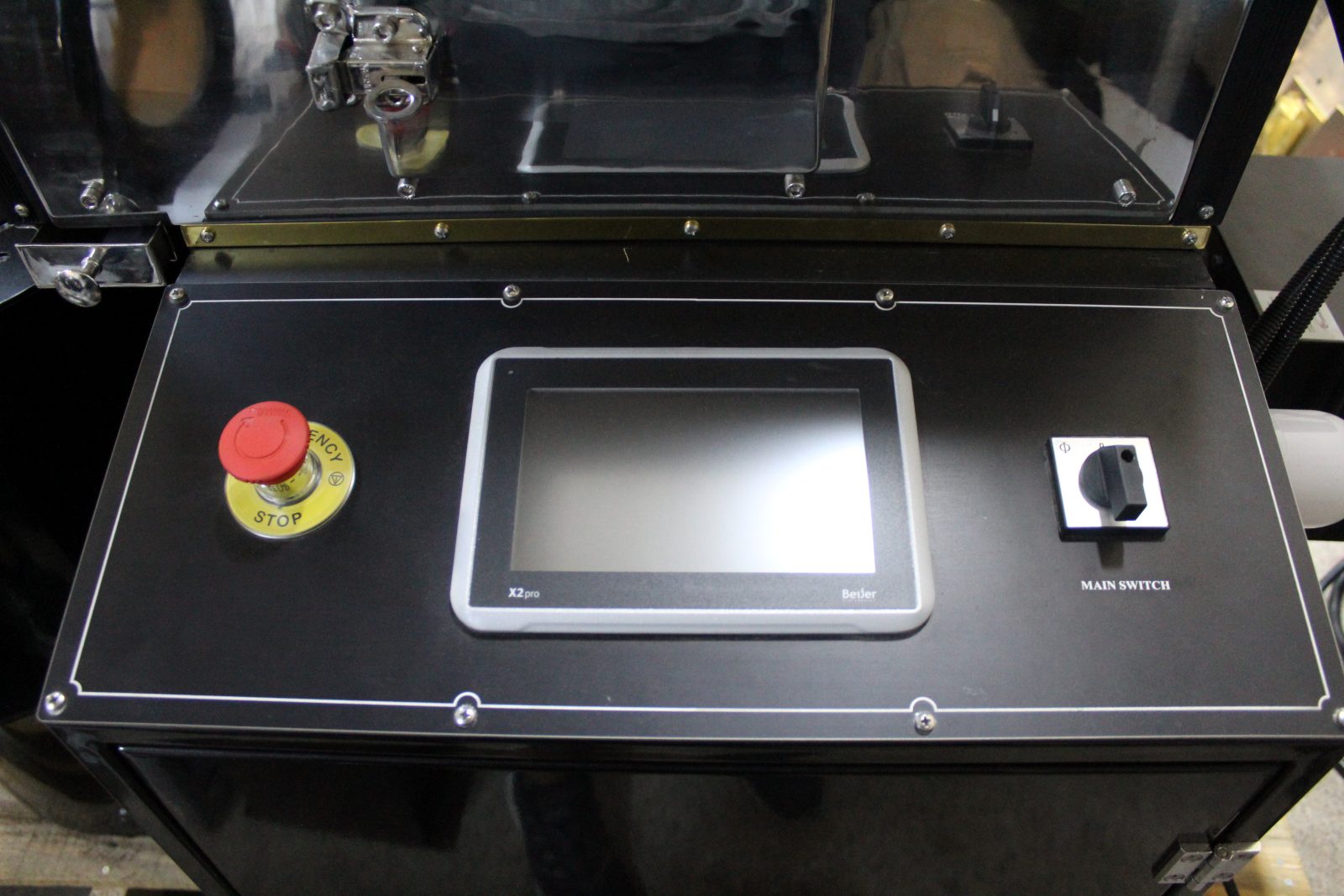
The roaster is where most variation enters the product, so it is the first place to automate. Kafgar industrial roasters from the KR-20 to the KR-240 run on digital PLC control with drum speed control, and roast profiles can be programmed, saved and repeated. The KR-500 uses a Siemens PLC touchscreen with multi-step roast profiles and independent inverter drives for the drum and the fan.
In practice, a saved profile stores the settings an operator would otherwise reenter by hand for each coffee. The operator selects the coffee, charges the drum and watches the curve. When a batch starts to drift from the reference curve, the operator sees it early, while there is still time to correct it.
Safety functions belong at this level too. Kafgar industrial roasters have a gas safety valve with automatic gas shut-off, and the KR-500 adds a water-injection safety system. These are not optional extras in an automated plant. The less an operator stands at the machine, the more the machine has to protect itself.
The electronics matter for a reason buyers sometimes overlook. Kafgar uses Siemens and Schneider components, brands that electricians and parts suppliers in most countries already know. When a sensor or relay fails far from the factory, a local technician can recognize the part, and the replacement can be shipped from the Kafgar factory.
Move the coffee without hands
Manual loading is the second big source of lost time. An operator lifting sacks into a hopper between batches adds minutes to each cycle and adds a weighing step that is easy to get wrong.
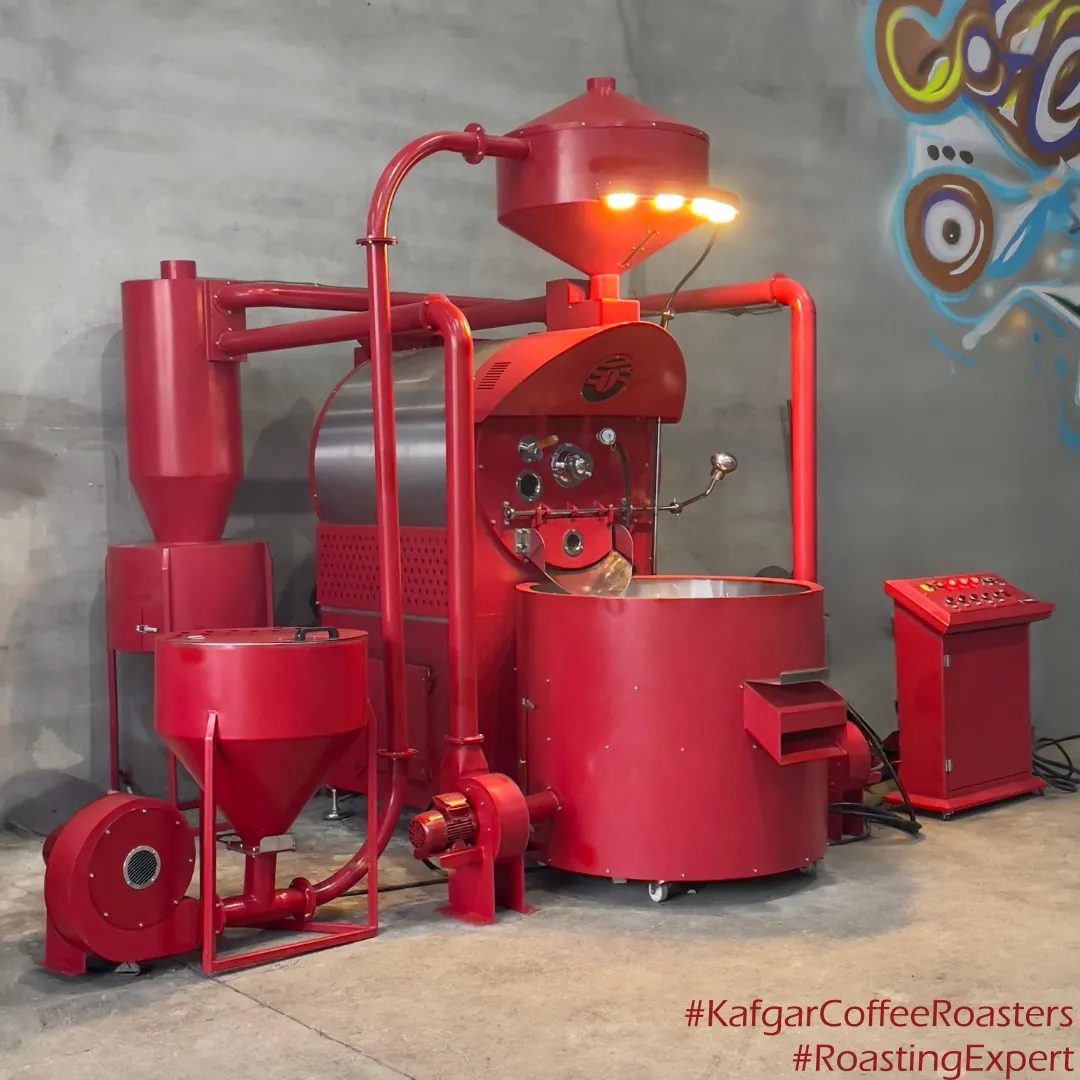
Kafgar manufactures pneumatic loaders, screw elevators and Z-type elevators for this job. A pneumatic loader moves green coffee from the intake point to the roaster hopper in a closed pipe. A screw elevator lifts beans vertically in a sealed tube. A Z-type elevator carries larger volumes in buckets and handles roasted beans gently. On an industrial line, a loader usually feeds the roaster and a destoner follows the cooler, so the coffee travels from intake to roasted storage without anyone lifting it.
The goal at this stage is simple. When one batch drops, the next charge should already be weighed and waiting in the hopper.
Decide what every batch record must hold
Automation without records only makes mistakes faster. Before the plant starts, agree on the fields that each batch record must contain. A workable minimum looks like this:
- Batch number and date, with the roaster and operator.
- Green lot number, origin and the weight charged.
- Profile name and version.
- Charge temperature, end temperature and total roast time.
- Development time after first crack.
- Roasted weight, which gives the weight loss for the batch.
- Color reading or cupping note, if the batch was sampled.
- Destination: silo, grinder, packing order or blend.
With those fields, a complaint about a single bag can be traced back through the packing order to the batch, the profile and the green lot. A recall, if it ever comes, can be limited to the lots involved instead of a whole week of production.
Connect roast logging software
Kafgar roasters are compatible with Artisan and Cropster, two roast-logging programs widely used in the trade. The software records the temperature curve in real time, stores it with the batch, and lets the roaster compare a live roast against a reference curve on screen.
Artisan is free, open-source software and suits plants that want local logging with no subscription. Cropster is a commercial platform with inventory and quality modules, which some plants use to link green stock, roasting and cupping in one database. Either way, the curve and the batch record should share a batch number so they can be matched later.
Wi-Fi and Bluetooth connection is optional equipment on Kafgar roasters. Ask for it at order stage if the logging computer or tablet will not sit next to the machine.
A practical order for a growing plant
Most plants do not automate everything at once. A staged approach lets each step settle in before the next one is added.
| Stage | What is automated | Typical equipment | What it adds to the record |
|---|---|---|---|
| 1 | Roast control | PLC with saved profiles, drum speed control | Profile, temperatures, roast time |
| 2 | Roast logging | Artisan or Cropster on a connected computer | Full curve per batch |
| 3 | Green loading | Pneumatic loader or screw elevator, destoner | Lot and charge weight per batch |
| 4 | Roasted coffee handling | Z-type elevator, conveyors, mixer, roasted coffee silos | Silo and blend per batch |
| 5 | Grinding and packing | KM grinders, packaging machines | Packing order and pack count per batch |
Silos and packaging machines are supplied by Kafgar as part of a plant project. The roasters, loaders, elevators, destoners, mixers and KM grinders are built in the Kafgar factory.
What should stay manual
Some decisions should never sit inside a PLC. Approving a new green lot, signing off a new profile, cupping production samples and releasing a batch that sits outside its targets all need a trained person. Automation should bring the right data to that person quickly, then step aside.
Profiles also need an owner. A plant with ten saved profiles and no record of who changed them last is not automated. It is just unsupervised. Lock editing rights to the head roaster or the quality manager, and keep a version number on each profile.
Frequently asked questions
Can automation be added to a roaster that is already running?
Loaders, elevators and logging software can usually be added to an existing line, as long as the layout leaves room for them. Changes to the roaster control itself depend on the model, so send the machine details and the plant layout for a review.
Does a PLC-controlled roaster still need a skilled operator?
Yes. The PLC repeats a profile accurately, but someone has to build the profile, judge the coffee and react when a new lot behaves differently. Automation reduces routine tasks, not the need for roasting knowledge.
Which roast-logging software works with Kafgar roasters?
Kafgar roasters are compatible with Artisan and Cropster. The choice depends on whether the plant wants free local logging or a paid platform that also manages inventory and cupping data.
What happens to the profiles if the PLC or a panel is replaced?
Keep a copy of every production profile outside the machine, in the logging software or the plant's own records, with its version number. A replacement controller can then be set up again from those records instead of from memory.
Automating a Kafgar line
Kafgar plans the control, loading and handling equipment together with the roaster, so the PLC, loaders and elevators are sized as one line from the start. See the industrial type coffee roasters for the control options on each model, or read how roast consistency depends on the machine for the roasting side. Send your target output and product mix, and the line will be laid out around the records you need to keep.
Request a quote on WhatsApp or by email at [email protected].